
How to remove or remove animals in the app
Steps to follow to deregister animals
In this guide, we'll show you how to remove animals and how to remove them completely from the app. It's important to understand the difference between the two:
- Deregister: The animal still exists in the app but is not visible in the main list unless you filter by decommissioned animals. This functionality is useful for maintaining complete traceability, as decommissioned animals still appear in the genealogy and you can check the data of their descendants. The same applies when registering them as sold.
Tutorial: How to register a sale?
- Delete: The animal is permanently deleted and its history cannot be retrieved or consulted. This action is irreversible
Decommissioning multiple animals at once
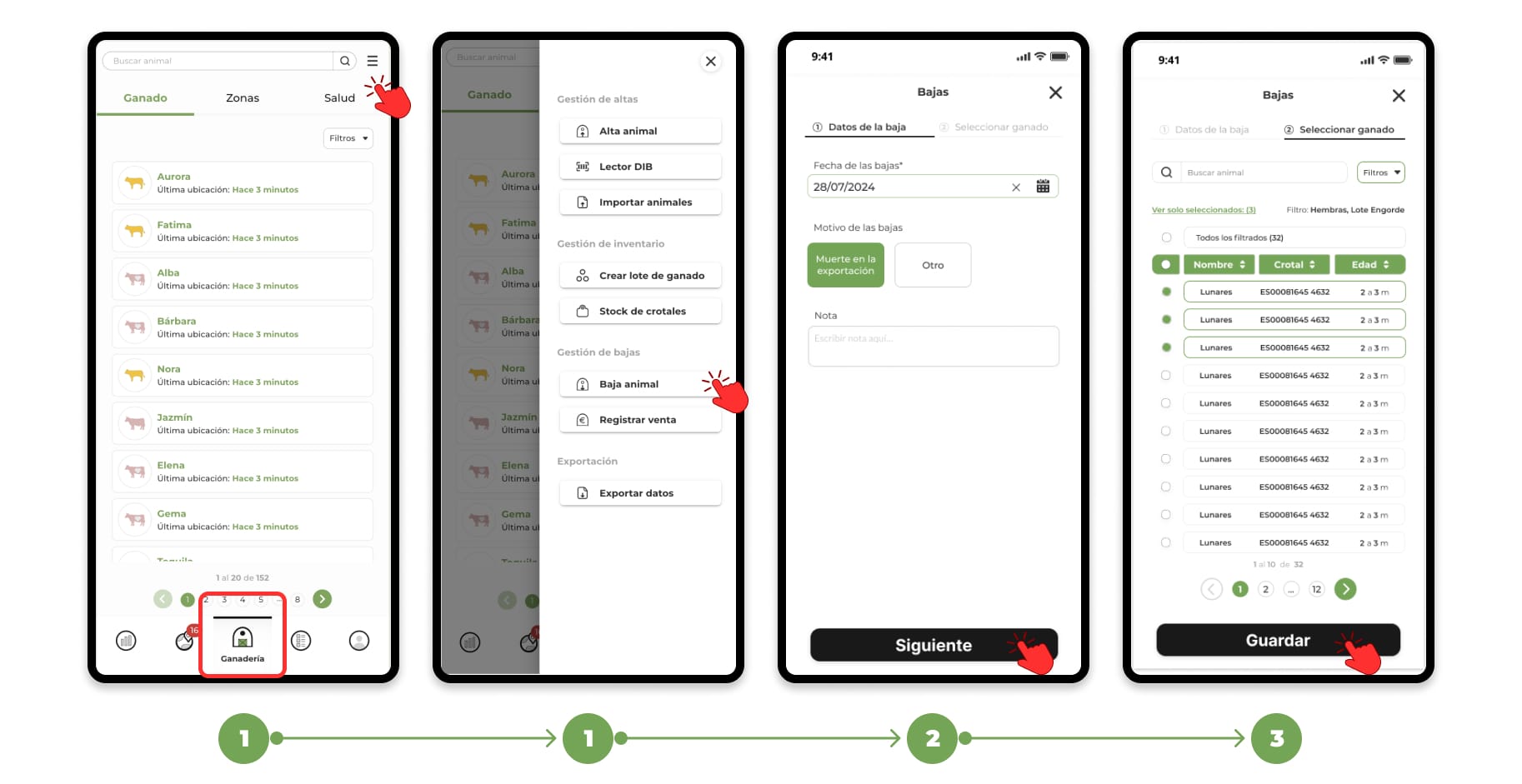
1. Go to the "Livestock" section and click on the "Menu" button located in the upper right corner. From the drop-down menu, select the "Drop animals" option.
2. A form divided into two steps will open:
- Step 1: Select the date of cancellation and the corresponding cause .
- Step 2: Select the animals you want. You can do this manually, use the alias/ear tag finder or use the filters.
3. Once you have completed the form, click "Save" to finish the removal of the selected animals.
Deregistering an individual animal
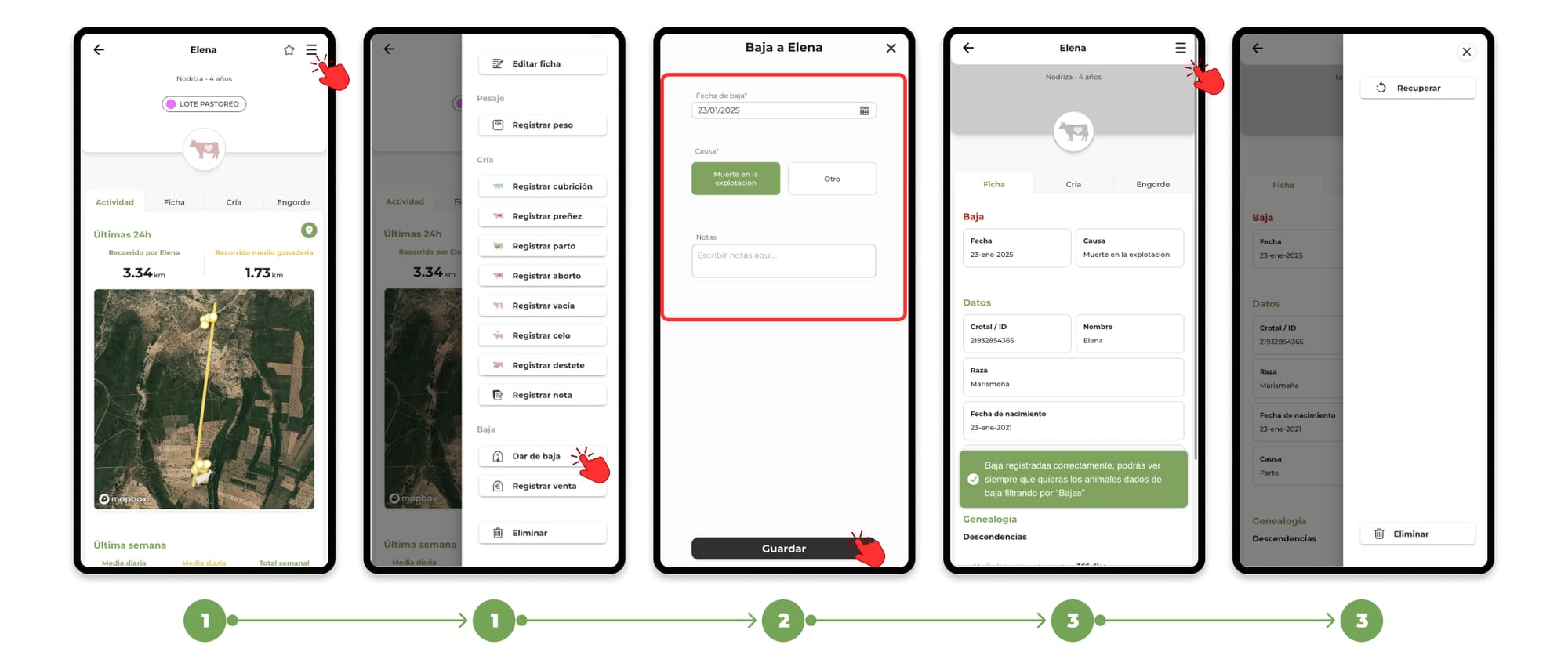
1. Access the main file of an animal from the list of animals of the farm or from the map and press the "Menu" button located in the upper right corner. From the drop-down menu, select the option "Deregister".
If you want to remove it completely, press the "Delete" button
2. When you click on Deregister, a form will open where you can enter the date of deregistration and the cause. Once the form has been completed, click on "Save" to confirm the deregistration of the animal.
3. From the profile of a decommissioned animal, you have the option to recover the animal, in case you have unintentionally deregistered it or also delete it permanently.
How to view decommissioned animals
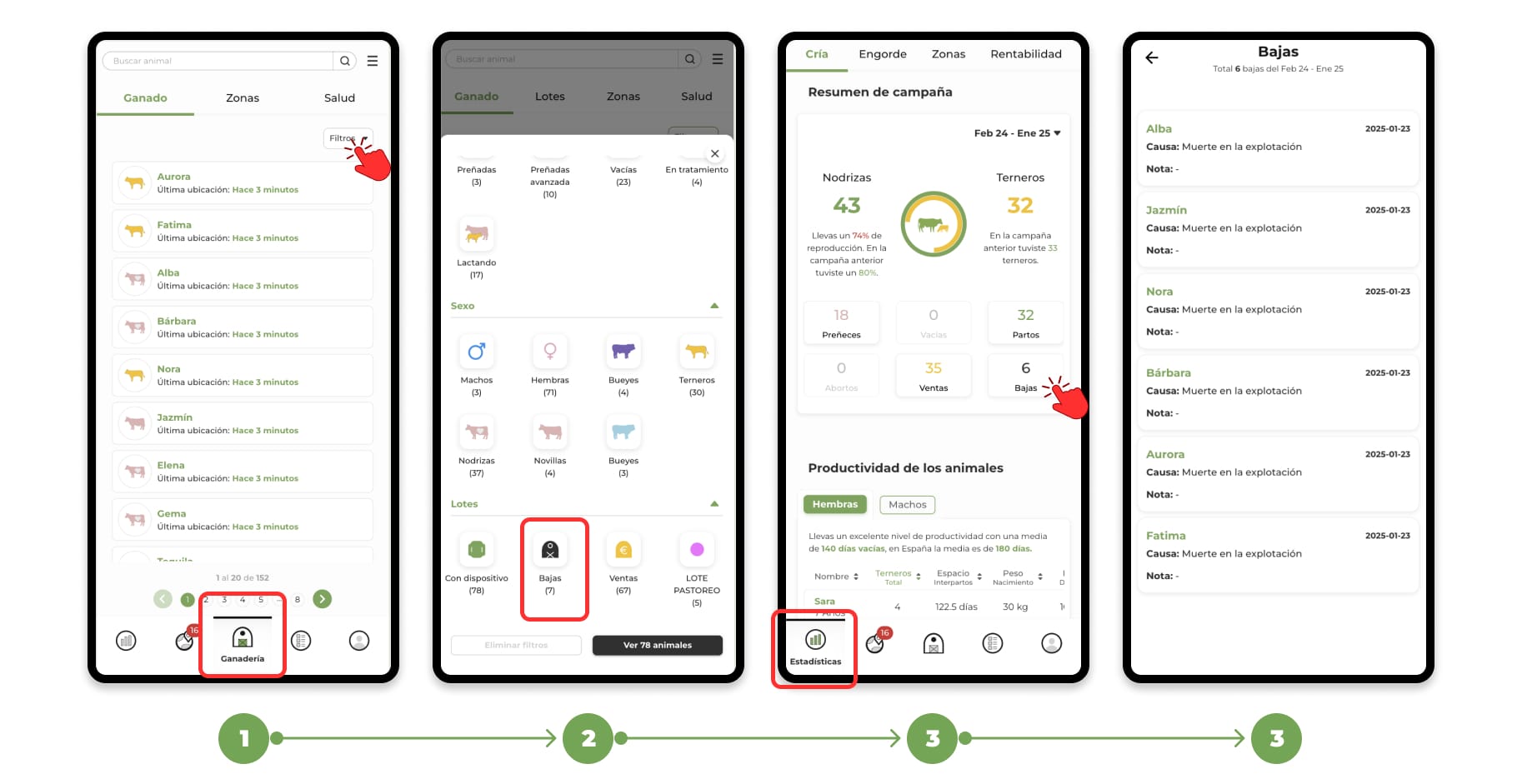
Decommissioned animals will be available in the "Livestock" section:
- Use the filters available in the animal list.
- Select the "Casualties" option to display all the decommissioned animals.
- The total unsubscribes and the list will be reflected in your campaign statistics.
Want to register a sale? For more information on how to register a sale, click here.