How to adjust alerts
Steps to follow to configure alerts for devices (outside fence, low activity, etc.).
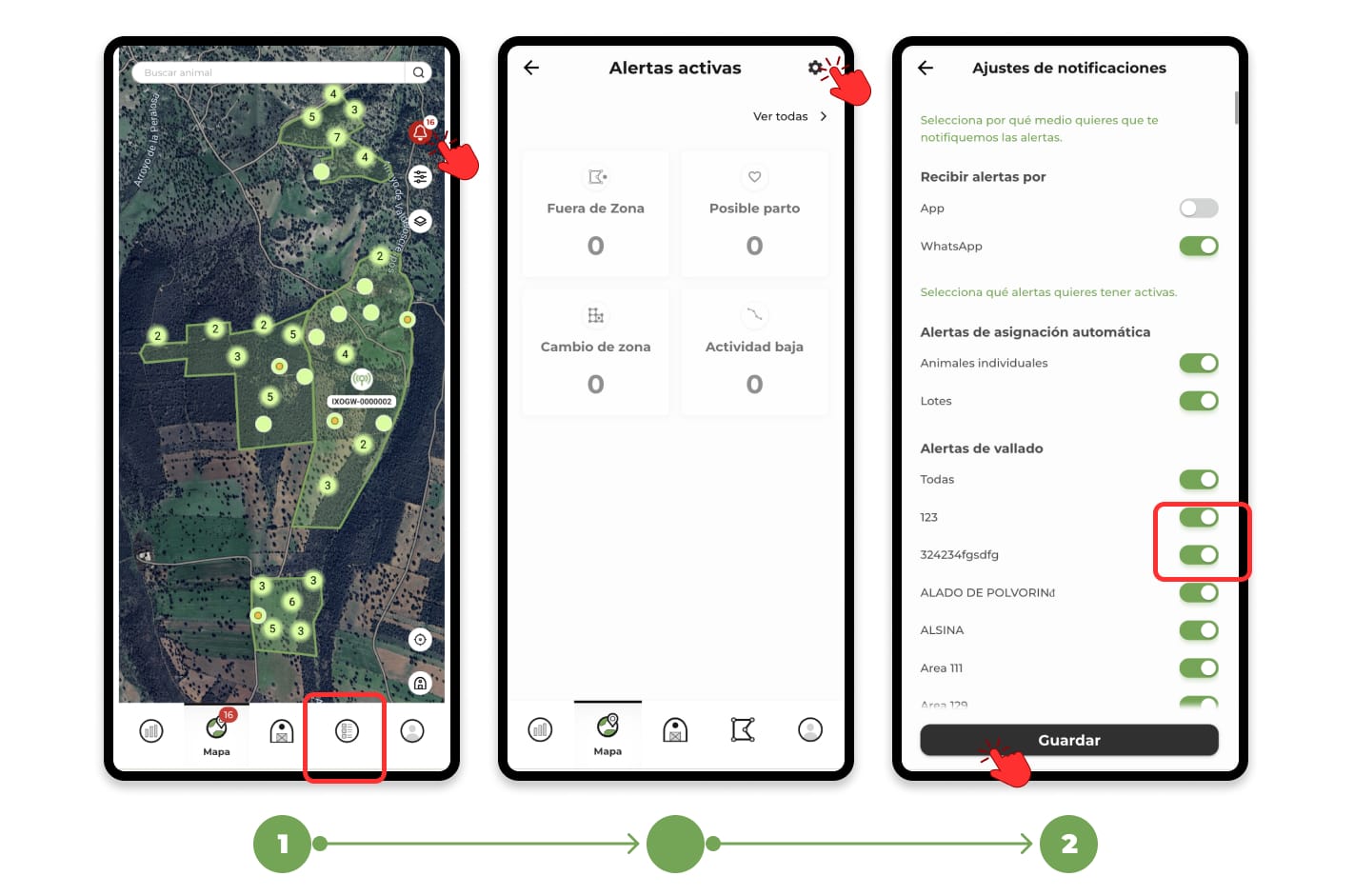
1. Access the "Map" section, click on the "Bell" icon located in the top right corner and then on the Settings icon. This will open a menu with the list of all the alerts available in the app, allowing you to select the ones you want to receive and the ones you prefer to turn off.
2. To adjust the alerts, use the slider buttons to the right of each title. Swiping them to the right (green) will activate the alert, while swiping them to the left (gray) will turn it off. Once you've set up the alerts according to your preferences, tap "Save" to apply your changes.